
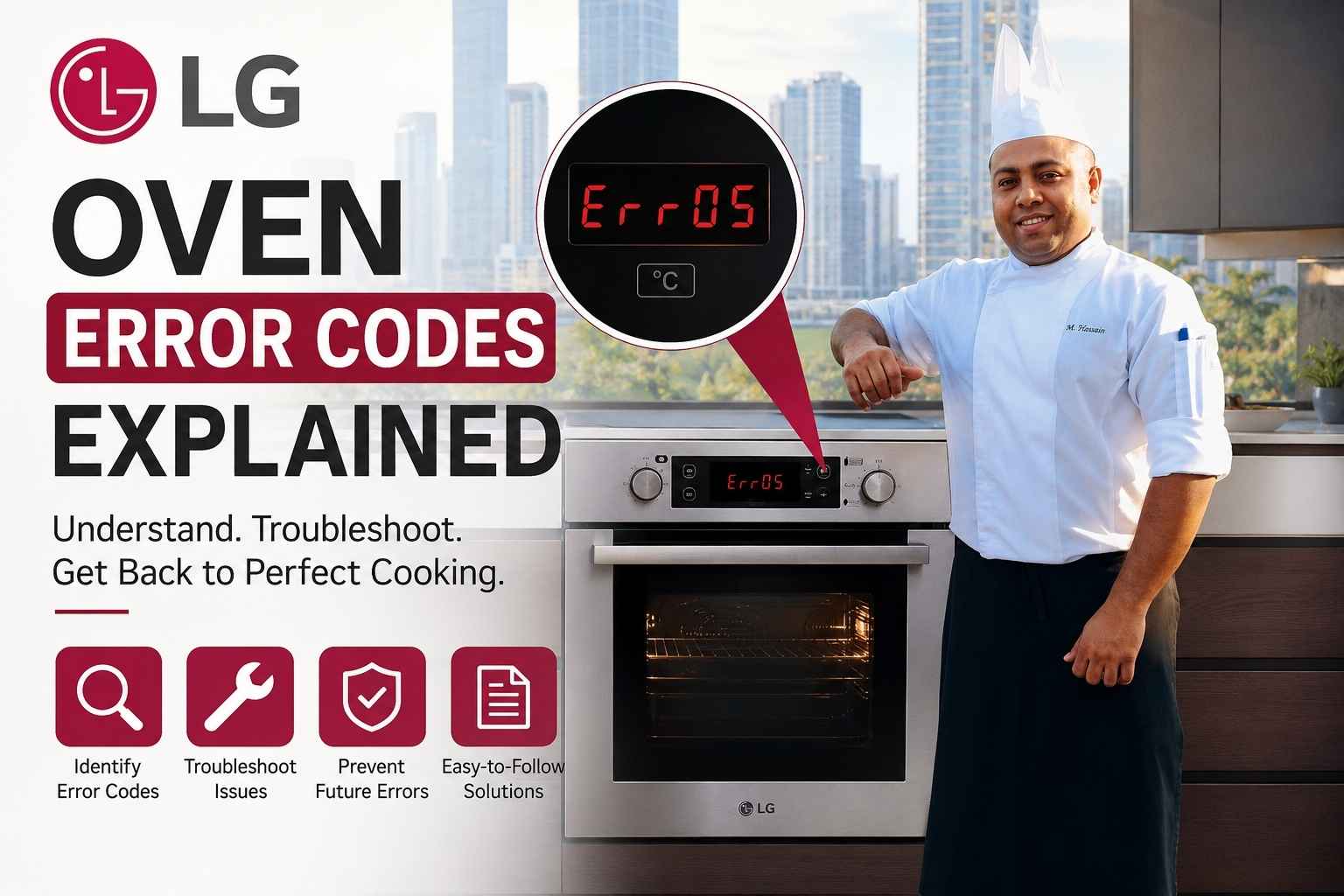
At A Glance
- LG oven error codes are two-character codes (like F3 or E1) that the control board sends when a sensor, lock, or heating component stops working correctly.
- The most common codes are F3 (temperature sensor failure) and F9 (door lock error) – both are fixable at home in under 30 minutes with a multimeter and a screwdriver.
- Always power-cycle your oven first: flip the circuit breaker off for 60 seconds before assuming hardware is broken.
- LG ProBake Convection and ThinQ smart models use extended diagnostic codes (E0-E9) that the standard F-series does not, so model identification matters before you Google anything.
- Call a licensed technician – not LG’s general support line – for any code involving gas valve failure (F6 on ranges) or a locked door with the oven above 300°F.
I have been cooking professionally for 17 years. I have worked in restaurant kitchens with Wolf and Vulcan ranges, and I have done catering gigs where the client’s home oven was an LG ProBake that threw a code at 6:47 PM, forty minutes before forty guests arrived.
I learned fast that an error code on an LG oven is not a death sentence. It is the control board telling you exactly what broke – if you know how to read it.
This guide covers every LG oven error code I have seen or researched, what is actually happening inside the oven when each one fires, and what to do about it. I will tell you which ones you can fix yourself and which ones you should not touch.
What LG Oven Error Codes Are and Why They Appear
LG ovens display error codes when the Electronic Range Control (ERC) – the brain of the oven – detects a reading outside its expected range. The ERC runs constant checks on temperature sensors, door lock switches, heating elements, and the communication bus between components. When any reading falls outside spec, the board stops the oven and shows you a code.
The codes appear on the digital display as a letter-number combination: F1, F3, E1, E6, and so on. On older LG models (pre-2019), you will mostly see F-series codes. On newer ThinQ and ProBake models, you will also see E-series codes that are specific to convection fan motors, Wi-Fi module failures, and probe sensor errors.
One important thing to understand: the same code can mean different things on an LG range versus an LG wall oven. F5 on an LG gas range is a door lock error. On the LG LSWD307ST wall oven, F5 points to a cooling fan relay fault. This is why the first thing you should do – before any diagnosis – is pull up your model number from inside the door frame and check it against LG’s official error code list for that specific model (LG Electronics Support, 2026).
Quick-Reference LG Oven Error Code Table
| Code | Name | Likely Cause | First Fix |
|---|---|---|---|
| F1 | Control board fault | ERC failure or software glitch | Power-cycle 60 sec; replace ERC if it returns |
| F2 | Oven temperature too high | Runaway heat, failed sensor, or stuck relay | Disconnect power; check temp sensor resistance |
| F3 | Open temperature sensor | Broken or disconnected oven sensor (RTD probe) | Test sensor with multimeter; replace if open circuit |
| F4 | Shorted temperature sensor | Sensor shorted to ground | Replace temperature sensor |
| F5 | Door latch error | Latch motor jammed or switch failure | Check latch assembly; clear debris from latch track |
| F6 | Ignition failure (gas models) | Failed igniter or gas valve issue | Replace igniter; call tech if valve suspected |
| F7 | Function key stuck | Button stuck on control panel | Clean panel; replace if keypad reads constant input |
| F8 | Door lock error (self-clean) | Lock motor failed mid-cycle | Do not force door; power-cycle and wait |
| F9 | Door latch not closed | Latch not fully engaging | Check door alignment; inspect latch hook |
| E0 | EEPROM error | Control board memory fault | Power-cycle; replace ERC board if persistent |
| E1 | Thermal limiter open | Oven overheated, safety fuse blown | Replace thermal limiter (part #EBF62357103) |
| E2 | Oven sensor circuit error | Loose connector at sensor or board | Reseat connectors; test sensor resistance |
| E3 | Convection fan motor error | Fan motor seized or wiring fault | Check fan blade for obstructions; replace motor |
| E4 | Cooling fan error | Cooling fan not spinning | Test fan motor; replace if no continuity |
| E5 | Door switch error | Door switch worn or misaligned | Adjust door hinges; replace switch |
| E6 | Communication error | Control board to display board wiring fault | Check ribbon cable connection |
| E7 | Temperature probe error (smart models) | Meat probe shorted or not seated | Remove probe; clean port; reinsert firmly |
| E8 | AC power error | Voltage out of range at wall | Test outlet voltage; check home electrical panel |
| E9 | Wi-Fi/ThinQ module error | Module offline or firmware issue | Reset ThinQ in app; update firmware |
How to Reset an LG Oven Error Code: Your First Move Every Time
Before you order parts or call anyone, do this. It fixes roughly 30% of LG error codes on the first try (RepairClinic, 2025).
Step 1: Go to your home’s electrical panel and flip the oven’s breaker to OFF. If you have a gas range with an electric ignition, flip the breaker – not just the range’s power button.
Step 2: Wait a full 60 seconds. Not 10 seconds. Sixty. The capacitors on the ERC board need time to fully discharge.
Step 3: Flip the breaker back ON. Watch the display. If it powers up clean with no code, run a short bake cycle at 350°F for 10 minutes to confirm the error is gone.
If the same code comes back, you have a real hardware fault. Now you can start diagnosing.
One thing I always check before anything else: the oven door. I have seen F5, F8, and F9 codes triggered by nothing more than a dirty door gasket that kept the door from seating flush. Wipe down the door seal and the frame it presses against. Then try the reset again.
Temperature Sensor Errors: F2, F3, F4, and E2
Temperature sensor errors are the most common LG oven codes I deal with. The sensor is a small RTD probe (Resistance Temperature Detector) that sits at the back wall of the oven cavity. It changes electrical resistance as temperature changes. The ERC reads that resistance to know the oven temp.
F3: Open Temperature Sensor
F3 means the ERC is reading no signal from the sensor at all – the circuit is open. This happens when the sensor probe breaks, or when the wires connecting it to the board come loose.
To test it yourself: pull the range away from the wall, unplug it, and remove the sensor from the back of the oven cavity (two screws). Use a multimeter set to ohms. At room temperature, a good LG oven sensor reads between 1,080 and 1,090 ohms (Appliance Parts Pros, 2025). If you read OL (open line), the sensor is dead. Replacement sensors for most LG models run $20-35 and take about 20 minutes to swap.
F2: Oven Running Too Hot
F2 fires when the oven exceeds its maximum safe temperature – usually around 650°F on most residential LG models. This can mean a shorted relay on the ERC is stuck sending power to the bake element, or it can mean the sensor is reading low (sending a false “cold” signal that tells the board to keep heating).
Warning: Do not use the oven if it shows F2. Pull power at the breaker and let it cool completely before touching anything.
F4: Shorted Sensor
F4 is the opposite of F3. The sensor is shorted, so it reads an impossibly high temperature (or zero ohms on your meter). Swap the sensor first. If F4 returns with a new sensor, the ERC board itself has a shorted input, and you need a board replacement.
Door Lock Errors: F5, F8, F9, and E5
Door lock codes come in two situations: during self-clean cycles and randomly during normal cooking. They are two very different problems.
F9: Door Not Latched
F9 is simple. The door latch hook is not fully engaging the strike plate on the oven frame. The fix in 90% of cases is a door alignment adjustment. Open the door fully, look at the hinges on both sides, and check if the door sits even. LG door hinges have a small adjustment tab you can move with a flathead screwdriver to shift the door up or down (LG Electronics Support, 2026).
If alignment looks fine, check the latch hook itself for grease buildup. A layer of baked-on grease on the latch track can prevent the motor from driving the hook fully home.
F8: Door Lock Error During Self-Clean
This one scared me the first time I saw it on a client’s LG LREL6325F. The oven was mid-clean cycle at around 880°F and threw F8. The door would not open.
Here is the rule: do not try to force the door open. The latch motor likely failed mid-cycle, but the door lock is a safety feature. Forcing it can warp the door or crack the oven frame. Power-cycle the oven at the breaker and wait for it to cool below 300°F. The latch should release automatically. Then you can replace the door latch assembly (part number varies by model – search your model number on AppliancePartsPros.com).
Control Board and Communication Errors: F1, E0, E6
F1 and E0: ERC Board Faults
F1 and E0 both point to the Electronic Range Control itself. E0 is specifically an EEPROM error – the small memory chip on the board has lost its settings or become corrupted.
Power-cycling fixes E0 about half the time. If it returns, the board needs replacement. ERC boards for LG ovens range from $150-280 depending on model (RepairClinic, 2025). Installation is straightforward on most models – the board is behind the control panel, held in by a ribbon cable and about six wiring harness connectors.
F1 with no other symptoms usually points to a software glitch. But F1 that appears repeatedly – especially if accompanied by random feature malfunctions – means the board is failing.
E6: Communication Error Between Boards
Newer LG ovens with separate control and display boards communicate over a ribbon cable. E6 means that communication broke down. Unplug the oven, locate the ribbon cable (visible when you remove the back panel or control panel depending on model), and reseat both ends. This fixes most E6 codes. If the cable shows any burn marks or creases, replace it.
Heating Element and Igniter Errors: F6 and E1
F6: Ignition Failure (Gas Ranges Only)
On LG gas ranges, F6 means the oven tried to ignite and failed. The igniter is the most likely cause. LG uses a glow bar igniter on most residential gas ranges. These have a lifespan of roughly 5-7 years with regular use (Consumer Reports, 2024).
To test it: pull the oven bottom panel, disconnect the igniter wires, and check resistance with a multimeter. A working LG gas oven igniter reads between 40 and 90 ohms. Readings outside that range mean replacement.
If you smell gas after an F6 code, turn off the gas supply valve behind the range immediately and leave the room. That is a gas valve fault and is not a DIY repair. Call a licensed appliance technician.
E1: Thermal Limiter Blown
The thermal limiter is a one-time-use safety fuse that blows if the oven overheats badly enough that the normal high-limit sensor failed to protect it. E1 means this fuse has opened.
You must replace the thermal limiter before the oven will work again. But you also need to find out why it blew – otherwise the new one will blow too. Check for a stuck relay on the ERC board or a failed cooling fan (E4 code) that allowed heat to build up around the control area.
LG Range vs. Wall Oven vs. ProBake Convection: Why the Same Code Means Different Things
This is the part most people skip, and it bites them.
LG makes at least four distinct oven architectures that share the same code system but map codes to different hardware:
LG freestanding ranges (like the LRE3061, LREL6325): Use F1-F9 primarily. F5 is door latch. The temperature sensor is a single RTD probe.
LG wall ovens (like the LSWD307ST, LWD3063): Add E-series codes. F5 here can mean a cooling fan relay fault, not door latch. Always confirm against the wall oven-specific code list.
LG ProBake Convection models: These have an additional heating element at the rear of the oven (not just bake/broil elements on top and bottom). E3 on a ProBake points specifically to the convection fan motor behind that rear element. Standard models do not have this fan, so E3 maps differently.
LG ThinQ smart ovens: Add E7, E8, E9 for probe, voltage, and connectivity errors. These models also report error history through the LG ThinQ app – tap “Diagnosis” in the app and it will pull the last five error codes with timestamps. This feature alone has saved me two service calls.
My rule: write down the full model number from inside the door. Then go to LG’s support page, enter the model, and download the service manual. The error code table in that manual is specific to your exact unit.
How to Use LG ThinQ Diagnostic Mode
On LG ThinQ-connected ovens, the app gives you access to Smart Diagnosis without pressing a single button on the oven itself.
Open the LG ThinQ app, select your oven, and tap “Customer Support,” then “Smart Diagnosis.” The app will show your oven’s current status, any active error codes, and a short description of the fault. For some errors, it will also show a recommended action – including whether to try a reset or call service.
For non-ThinQ models built after 2020, LG added a manual diagnostic mode. With the oven OFF, hold the Clock and Timer buttons simultaneously for 3 seconds. The display will cycle through internal sensor readings. If any reading flashes (rather than holding steady), that component is outside spec. Check your model’s service manual for what each reading position corresponds to (LG Electronics Support, 2026).
When to DIY vs. When to Call a Technician
I fix a lot of oven problems myself. I also know exactly where the line is.
Fix it yourself if:
- The code is F3, F4, E2 (temperature sensor replacement)
- The code is F9 (door alignment or cleaning)
- The code is E3 (convection fan blade has debris, or fan motor swap)
- The code is E6 (ribbon cable reseating)
- The code cleared after a power-cycle and has not returned
Call a licensed appliance technician if:
- The code is F6 on a gas range and you smell gas
- The code is E1 and you do not know why the thermal limiter blew
- The code is F2 and the oven was clearly running extremely hot
- The oven door is locked and the oven is still above 300°F
- Any code on a unit still under LG’s warranty (DIY repair voids it)
LG’s warranty on most residential ovens is one year parts and labor from purchase date (LG Electronics, 2026). If your unit is under a year old, call LG at 1-800-243-0000 before touching anything.
Common Mistakes People Make After an Error Code Appears
I have watched homeowners make these mistakes. They either make the repair harder or damage something that was still working.
Forcing a locked door. During self-clean, the door lock is holding several hundred degrees inside. Yanking it puts stress on the hinges and can crack the door glass. Wait for it to cool.
Skipping the power-cycle. At least a quarter of the error codes I see are software glitches on the ERC. A 60-second power-cycle costs nothing and clears them instantly. Always do this first.
Not checking voltage. If you see E8 or recurring F1 codes and the oven is otherwise healthy, test your wall outlet with a multimeter. LG electric ranges require a 240V outlet. A weak connection or a failing breaker can cause intermittent voltage drops that confuse the ERC. A 240V outlet should read between 220V and 240V consistently (National Electrical Manufacturers Association, 2024). If it reads below 210V under load, call an electrician, not an appliance tech.
Ignoring altitude. If you live above 3,500 feet, your oven may run slightly hotter than its thermostat setting because water boils at lower temperatures and heat transfer behaves differently. Some LG models have an altitude adjustment in the settings menu. If you see occasional F2 codes and live at elevation, check if this setting is enabled.
Ordering the wrong part number. LG makes dozens of oven models with nearly identical names. The temperature sensor for the LRE3061ST is not the same part as the one for the LRE3061BD. Always cross-reference your full model number and serial number before ordering from AppliancePartsPros, Repair Clinic, or Amazon.
My Protocol When an Oven Throws a Code Mid-Service
Here is exactly what I do when an oven code appears during a catering job or a dinner party. I have run this process probably 30 times across different clients’ kitchens.
First 90 seconds: I note the code, take a photo of the display with my phone, and immediately move whatever is in the oven to another heat source – stovetop, countertop griddle, or a neighbor’s oven. Guest timeline does not stop for a broken oven.
Minutes 2-4: I check if the code is on the “safe to reset” list. F3, F9, E3, E6, E7, E9 – I will attempt a reset. F2, F6 (gas), E1 – I pull the power and call the client’s appliance service contract number. Some clients have a home warranty that covers same-day emergency service.
Minutes 5-8: If the reset is worth trying, I flip the breaker, wait 60 seconds, and restore power. If the oven comes back clean, I run it at the required temp for 5 minutes before loading food back in.
If reset fails: I adapt the menu. I have never once told a guest there was a problem. A good chef does not need one specific oven to finish a meal.
The code that has cost me the most time? F8 during a self-clean cycle that ran before my arrival. Client started it at 2 PM for a 7 PM dinner. The latch motor failed at 4 PM and the door was locked until 6:20 PM. We made it work, but I now ask every client to skip self-clean for 48 hours before any event.
Frequently Asked Questions About LG Oven Error Codes
What does F3 mean on an LG oven?
F3 means the control board is reading an open circuit from the temperature sensor (RTD probe). The sensor either broke internally or its wire connector came loose. Test the sensor’s resistance with a multimeter – it should read 1,080 to 1,090 ohms at room temperature. If it reads OL (open line), replace the sensor. Most LG oven temperature sensors cost $20-35 and install in about 20 minutes (Appliance Parts Pros, 2025).
Can I still use my LG oven if it shows an error code?
It depends on the code. F9 from a slightly misaligned door? You can often close the door firmly and continue cooking while you schedule a repair. F2 (runaway heat) or F6 on a gas range? Shut it off immediately. Check the table in this article for your specific code before deciding.
Why does my LG oven keep showing F1 after I reset it?
Recurring F1 after a power-cycle means the Electronic Range Control (ERC) board is failing. The power-cycle clears the error flag in memory, but the underlying hardware fault triggers it again when the board runs its startup checks. ERC board replacement is the fix. Boards run $150-280 depending on your model (RepairClinic, 2025).
How do I run LG Smart Diagnosis on my oven?
On ThinQ-connected models, open the LG ThinQ app, select your oven, go to Customer Support, and tap Smart Diagnosis. On non-ThinQ models built after 2020, hold Clock and Timer simultaneously for 3 seconds with the oven off to enter manual diagnostic mode (LG Electronics Support, 2026).
What is the difference between F5 and F9 on an LG oven?
Both relate to the door, but they point to different parts. F9 means the door latch is not closing (the hook is not engaging). F5 means the latch motor or its position switch has failed. Start with F9 fixes (door alignment, cleaning the latch track). If the latch physically moves but the code persists, you are into F5 territory – the motor or switch needs replacement.
My LG oven door is locked and will not open. What do I do?
Do not force it. This almost always happens after a self-clean cycle where the latch motor failed. Flip the breaker off, wait for the oven to cool below 300°F (about 45-60 minutes), then restore power. The lock should release automatically as the thermal sensor confirms the cavity is safe. If it does not release after two full cooling cycles, the latch assembly needs replacement and the door may need to be removed from its hinges by a technician.
Does high altitude cause LG oven error codes?
High altitude does not directly cause error codes, but it can contribute to occasional F2 (temperature too high) codes on electric ovens if the altitude compensation setting is not enabled. LG recommends enabling the altitude adjustment mode for installations above 3,500 feet. Check your user manual’s settings menu – the option appears as “Alt” or “Altitude” on most models built after 2018 (LG Electronics Support, 2026).
When should I replace my LG oven instead of repairing it?
Replace it if the ERC board fails on a unit older than 8 years, since board cost plus labor often exceeds 50% of a new oven’s price. Also replace it if you see recurring E1 (blown thermal limiter) codes with no clear cause – this pattern suggests the ERC has a stuck relay that will keep blowing the fuse (Consumer Reports, 2024). For anything under 5 years old, repair almost always makes financial sense.
Key Takeaways
- Write down your LG oven’s full model number before diagnosing any error code. The same code maps to different hardware on ranges, wall ovens, and ProBake Convection models.
- Always power-cycle at the breaker for 60 full seconds before assuming a hardware fault. This clears roughly 30% of codes.
- F3 and F9 are the two most common LG oven codes and both are DIY-friendly fixes that take under 30 minutes.
- Never force a locked oven door during or after a self-clean cycle. Wait for the oven to cool and the lock will release on its own.
- F6 on a gas range with a gas smell is the one code where you stop everything, shut off the gas supply valve, and call a licensed technician immediately.
- LG ThinQ-connected ovens store error history in the app. Check it before any diagnosis – it shows timestamps and patterns that a single display code cannot.
- Temperature sensors for most LG models cost under $35 and are the most commonly replaced oven component. Learning to test one with a multimeter will save you a service call.

I’m Mossaraof, a trained chef and the founder of OvenInsights.com. I spent years cooking at Larrupin’ Cafe and in kitchens across Chicago and Seattle. Now I test kitchen gear for a living. I moved to North Acton, London, and I test every tool I write about. I use real meals and real heat. No brand deals. No shortcuts. I cover 12 kitchen types and hundreds of recipes. I believe this: the right tools matter as much as the recipe.